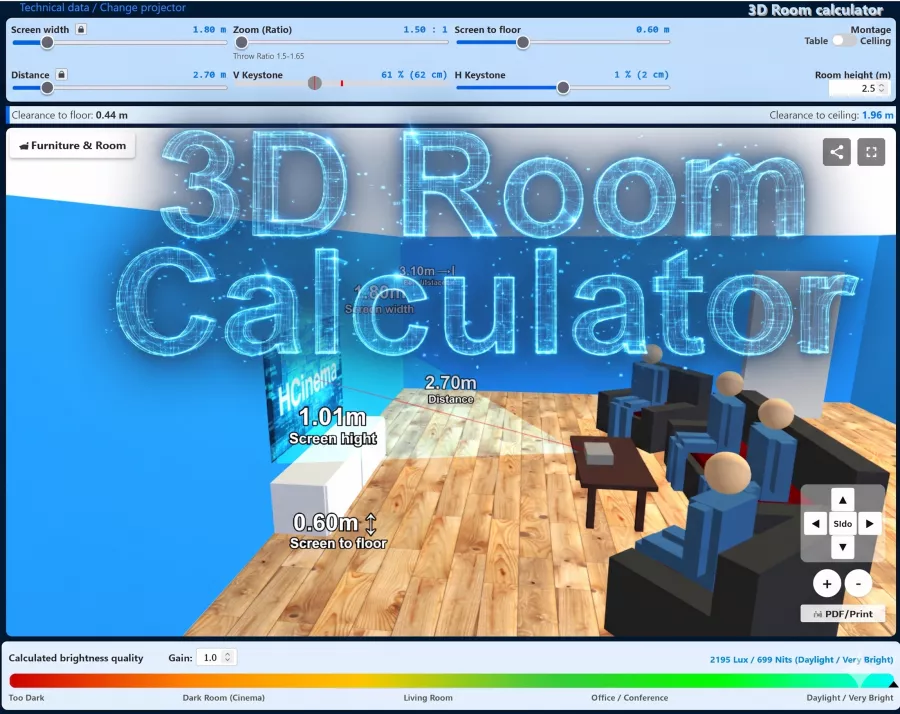
Based on DLP technology, the Optoma MovieTime DV10 projects images in a Homecinema environment, with technical specs listing 1000 ANSI lumens, a contrast of 4000:1 and a WVGA 854 x 480 resolution. The runtime of the lamp in this model is estimated at 2000 hours before a replacement is necessary. Looking at practical performance, up to 321 cm can be illuminated with 1000 ANSI lumens in dark environments. Once daylight is in the room, the image should ideally be no wider than 214 cm. Also on board is a local media player that allows reading and playing content directly from storage media. In the specifications, the operating noise is listed at a mere 28 decibels, indicating very quiet cooling. The projector was released in 2005 and is officially no longer distributed by Optoma.
Display Type
1 x 0,54" DC2 12 Grad DLP Chip WVGA 16/9 Ti Digital Light Processing Chip
Ansi-Lumen
Projector
1000
Screen
444 Lux (200 cm Screen width)
Contrast
4000:1 full on/off
4000:1 full on/off
Black Level
0,2500 min. Lumen
0,111 min. Lumen
Offset
104% 60 cm over screen top edge →
SCREEN
+Projector
Resolution
WVGA 854 x 480
409.920 Pixel SXGA+ 1400 x 1050 compressed
Hello, I was actually quite satisfied with the projector, even though the built-in DVD player is not the best and caused most of the complaints.
Now the large plastic screen, which also serves as a focusing ring, has broken off. According to Optoma, the spare part is no longer available.
Now I have a very well-maintained projector with a new lamp with 16 operating hours and no more spare parts. (Supposedly everything except the part is still deliverable)
Shame my next projector won‘t be called Optoma, even though it was my fourth.
Autor:
Max 11.12.10
4
Stars
Power supply
Hello first of all, I lost my power supply (power cable), wanted to ask what kind I have to buy now?
greetings max
Autor:
dennis 15.06.08
5
Stars
Have no driver CD
Hi unfortunately have no more driver CD and I can‘t find one on the optoma
site can anyone help me????
Autor:
s.kogel 17.09.07
5
Stars
Presenting pictures
How can I present or time a picture CD? The CD always runs automatically. Can I click on the pictures individually?


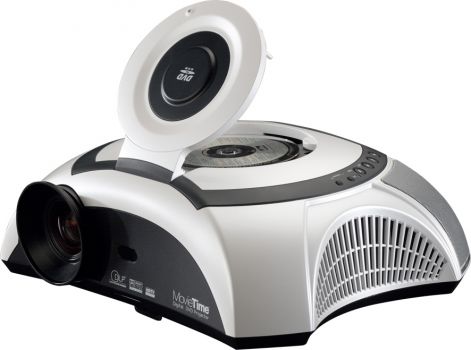






 Integrated Mediaplayer




 Optoma Website
 Product Sheet english (10.73 MB)