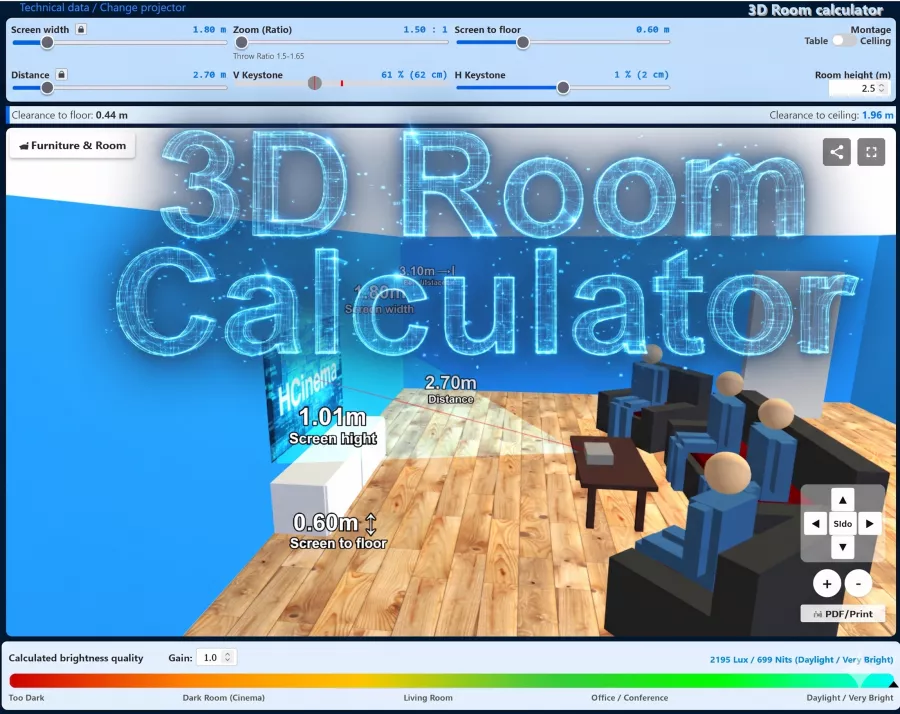
The equipment of the Sharp PG B10S projector includes 1100 ANSI lumens, a contrast of 400:1 with a SVGA 800 x 600 display. The manufacturer specifies a runtime of 3000 hours for this projector's lamp. The specifications indicate lens shift optics, allowing the image to be physically shifted without digital image artifacts. The Lens Shift Calculator is available for room planning. A look at the light output reveals: The 1100 ANSI lumens are sufficient to illuminate an image width of up to 289 cm in darkened rooms. If room light is present, we recommend not exceeding a maximum width of 193 cm. Since entering the market in 2003, production has been discontinued; the manufacturer no longer actively offers the model.
Standard-Portabel | External training and company presentations, as well as product presentations. Small screen width, rooms with very little ambient light below 50 lumens.
Lens shift Funktion manuell Freeze Eco Mode Kensington Slot sRGB Gamma correction Password protection Remote control with mouse control Lens shift in all directions.
on page 49 it only says how to display it mirror-inverted.
has anyone managed to rotate the picture by 180°??
I don‘t think that‘s possible with the beamer :(
Autor:
coded 26.12.11
5
Stars
Rotate image
It‘s in the instructions on page 49
Autor:
Theo 08.03.11
4
Stars
The projection distance is not sufficient for lectures!
The projection distance is not sufficient for lectures in front of 30 people and more!!! Is there a way to extend the focal length (telephoto lens) to achieve a distance of 5-8 m to the screen with a maximum image width of 2 meters?
Autor:
Bernd 25.04.10
3
Stars
Ceiling mounting: How can I rotate the picture
Hello, I have mounted the projector on the ceiling, now I have to rotate the picture by 180 degrees
but how ???
Thanks in advance...
Autor:
Klomobot 23.01.09
5
Stars
Rotate picture - solution
If it is only for watching videos, I would use VLC and transform the picture under advanced settings or rotate it with the cursor.
See here:
http://saved.im/njy1nti3mxrp/vlc-main-180-trans-settings.png
oder here:
http://saved.im/njy1ntnoy2dl/vlc-main-180-trans-settings2.png
Hardware Technically there may soon be a solution here:
http://www.diy-community.de/showthread.php?p=314037
Greetz Klomobot
Autor:
koexen@web.de 13.01.08
5
Stars
Rotate image
Hello, I have hung my Sharp Beamer PG B10 S on the ceiling and can‘t rotate the
image! Who can help ?
Autor:
Andreas 16.12.07
5
Stars
PG-B10S
How can you rotate the picture now, who can give you a tip
Thanks for quick answers
Autor:
A.H. 23.09.07
5
Stars
ceiling mount
Hello, I have mounted the projector on the ceiling, now I have to turn the picture by 180 degrees
but how ???
Thanks
Autor:
magrit 27.03.07
5
Stars
good thing
the projector is very good and I am very satisfied with it, buy it if you have the opportunity, you can also sell it very well for 700 euros without accessories!!!
Autor:
Christoph 18.02.07
5
Stars
Ceiling installation
Hello, I have hung my Sharp PG B10 S projector on the ceiling and can‘t rotate the
image! Who can help ?












 Lens shift Funktion manuell


 Sharp Website
 Product Sheet english HC
 Interaktive Tour